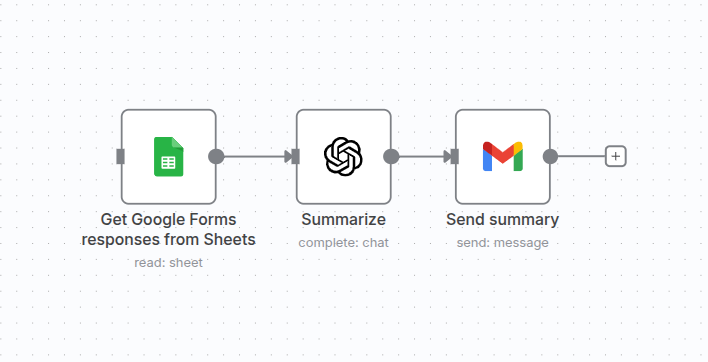
Summarize Google Forms responses to Gmail
Automatically summarize Google Forms responses and send the summaries to your Gmail to keep track of important information efficiently.
Workflow Visualization
This diagram shows the simplified workflow structure. After downloading, you'll get the full n8n workflow JSON with all nodes and connections configured.
Required Integrations
This workflow requires the following services to be connected in your n8n instance:
Google Sheets
OpenAI
Gmail
Note: You'll need to have accounts and API keys for these services. Don't worry - the workflow includes detailed setup instructions for each integration.
Quick Setup Guide
Download the workflow JSON file
Import into your n8n instance
Configure the required integrations
Test the workflow with sample data
Activate and start automating
Ready to Automate?
Download this workflow and start saving time today. It's completely free!