Votre choix s’applique sur cette page, mais le navigateur n’a pas permis de l’enregistrer. Nous pourrons vous le demander à nouveau lors de votre prochaine visite.
▷Vidéo YouTube
Pour lire cette vidéo, activez les médias externes dans les paramètres des cookies.
Even the best AI can achieve little if it does not have access to valuable data.
Data and knowledge are among the most valuable assets of any organization today. Without a structured approach to
recording and maintaining organizational knowledge, organizations may be overlooking significant untapped
potential.
What is Knowledge Base?
Knowledge base is a structured document management system. You can think of it as your in-chapter
Wikipedia,
supported by AI.
CogniVis allows you to connect your data sources to various LLMs, create custom AI
assistants, and deploy them on WhatsApp, Slack, your website, or seamlessly
integrate them into your applications and systems for use anywhere you need.
The founders of the company behind CogniVis AI ( Michal Szymanski and Dawid
Adach ) are members of EO
Poland and offer this solution
free of charge to EO and YPO chapters as part of their
commitment to the community.
There are no hidden costs that CogniVis AI charges EO and YPO chapters.
There is also no other purpose than to help chapters who have approached
us for help with implementing AI.
We provide our software and time for free, aiming to contribute to the
growth of our entrepreneurial community.
About knowledge base
CogniVis has a "Docs" module, which is used for creating a
corporate knowledge
base that the artificial intelligence then relies on.
The best way to imagine our knowledge base and its structure is as a library. I mean a classic,
physical library,
with wooden shelves and paper books.
CogniVis Docsis a
digital
representation of a physical library.
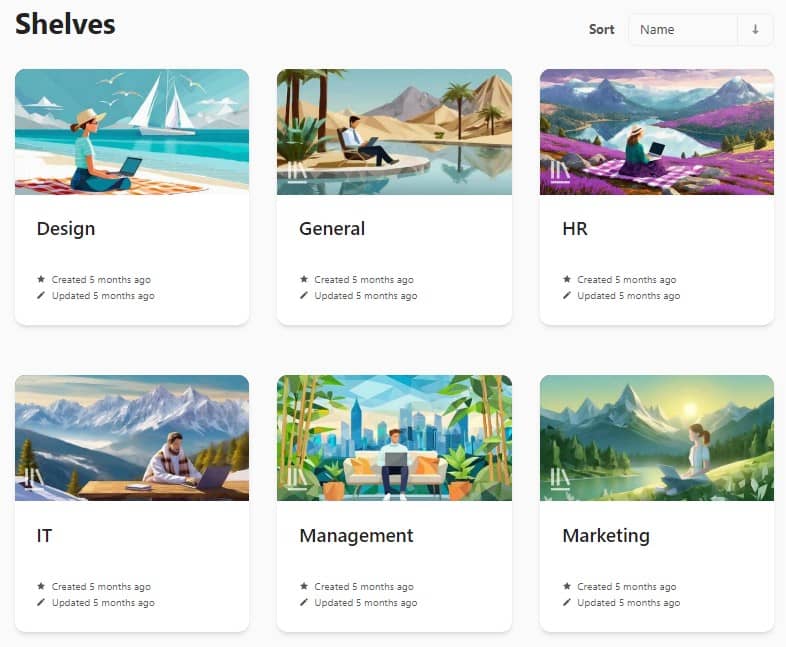
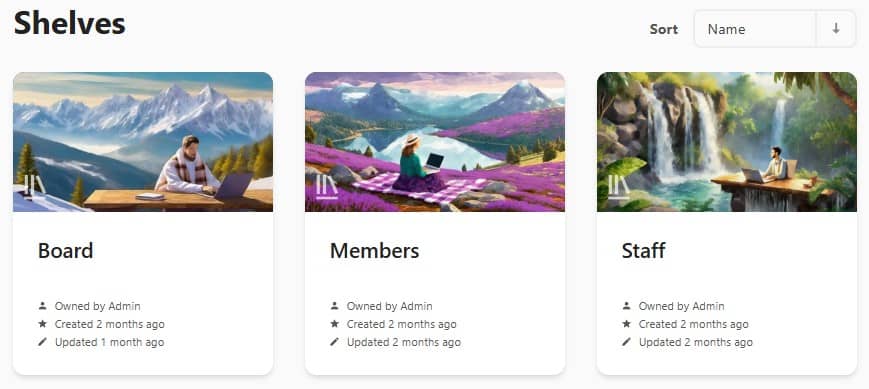
When you open it, you'll see... shelves.
Each shelf corresponds to a specific segment of corporate knowledge, such as marketing, IT, design,
and so on. This
is, of course, just an example division, and each organization should adapt this structure to its own needs.
Books
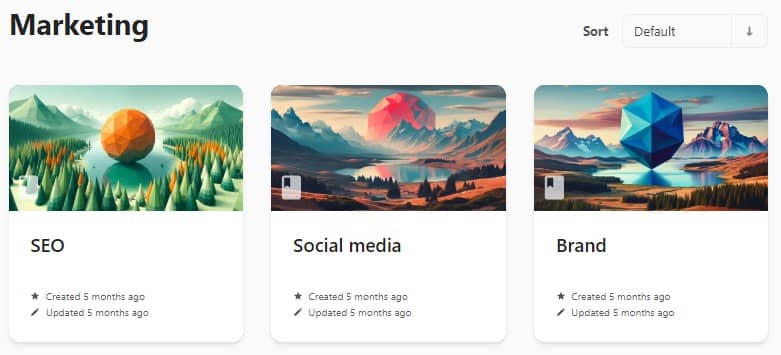
Then, when we enter a shelf, we are presented with... books.
Books are smaller elements of a given segment of corporate knowledge (i.e., a given shelf). For
example, entering
the "Marketing" shelf, we might find books like "SEO," "Social
Media," or "Branding." Each of these books contains more specific information about a
segment of corporate marketing knowledge.
Chapters
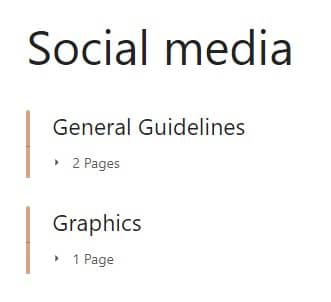
Just like in physical books, here we also find chapters. For example, entering the
"Social Media"
book, we would see two chapters inside:
General Guidelines
Graphics
Chapters are simply a smaller unit of our library's structure and are embedded directly in books.
Pages
The smallest unit of the knowledge base structure is pages. They are embedded in
chapters
(although they can also be directly embedded in books).
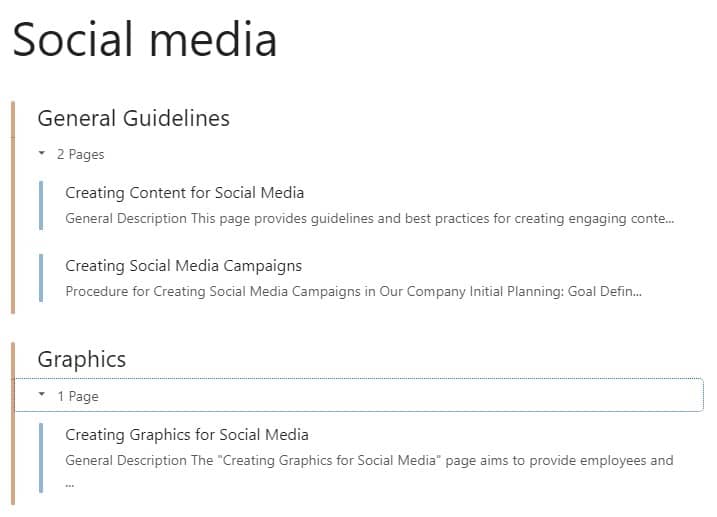
In the image below, elements marked in blue are pages, and those in orange are chapters to which
they
belong.
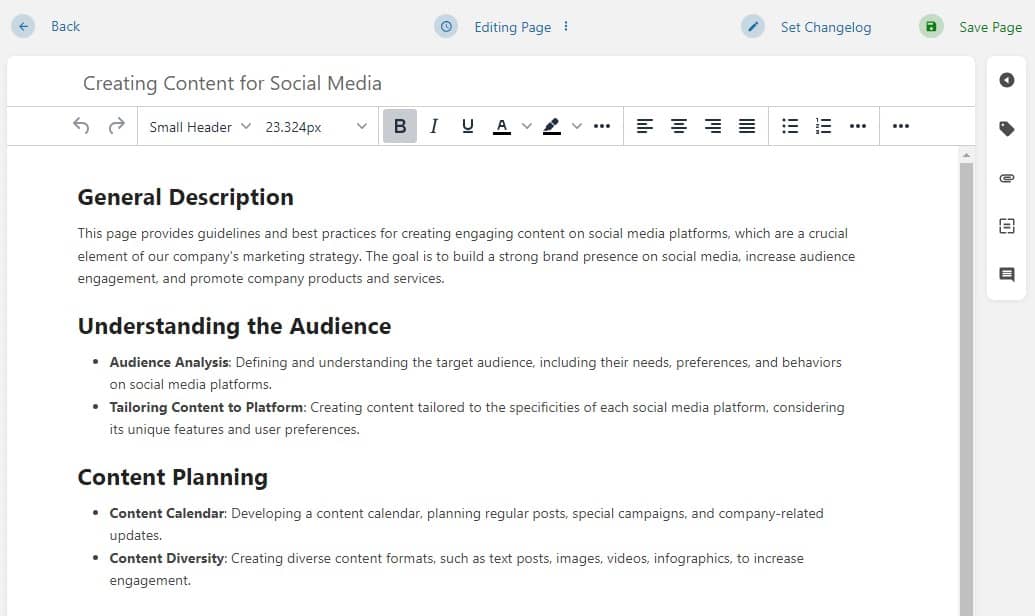
Each page is simply an individual document with a classic text editor.
In summary
The structure of the CogniVis Docs knowledge base is simple. If we imagine it as a library, the
schema
looks as
follows:
Library > Shelves > Books >
Chapters
> Pages
Based on our tests, we've concluded that this structure is best for both humans and artificial
intelligence. It
provides an appropriate level of complexity and embedding of documents to maintain order, while preventing
overly
complicated nesting that could reduce its readability and ease of use
Knowledge base for the EO/YPO chapter
Below you can see the example structure for your chapter.
Of course it's only a suggestion and you should always adjust the structure to the specific needs of your chapter.
Howerver, such an arrangement can provide a solid foundation for both AI and humans, allowing you and your members
to create more advanced knowledge architecture in the future.
Shelves
The simplest and most useful configuration would be division like that:
Board shelf - for resources related to the board and people currently in board
roles
Members shelf - for resources available for all the members of your chapter
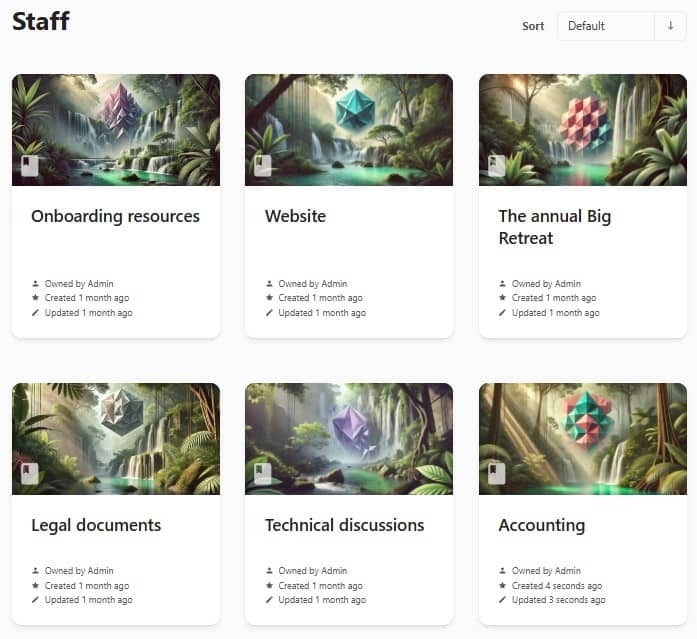
Staff shelf - for resources for your chapter manager
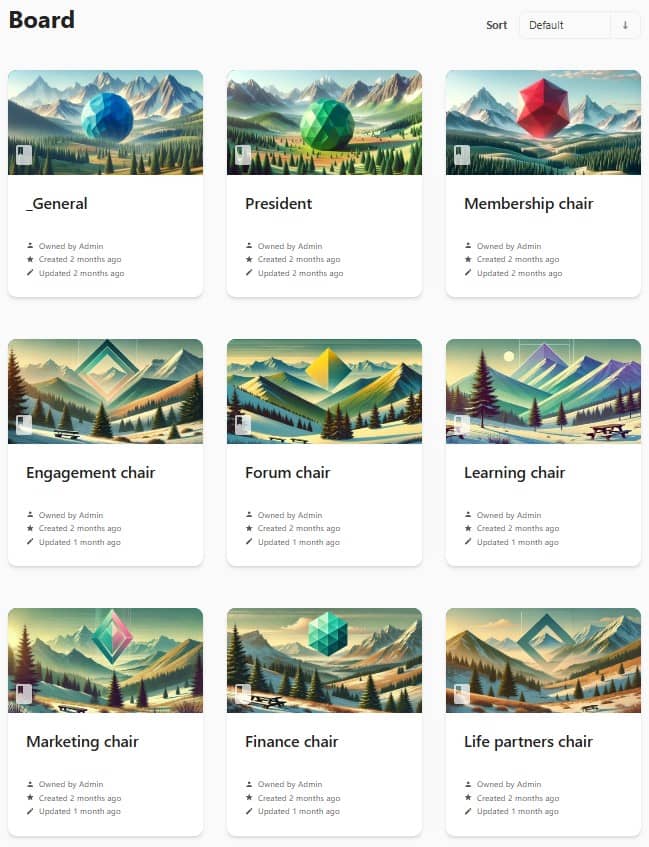
Board books
Inside the shelf you can create a book dedicated to each role in the board, additionally with a "General" book
where you can place some generic documents.
Documents for each board role
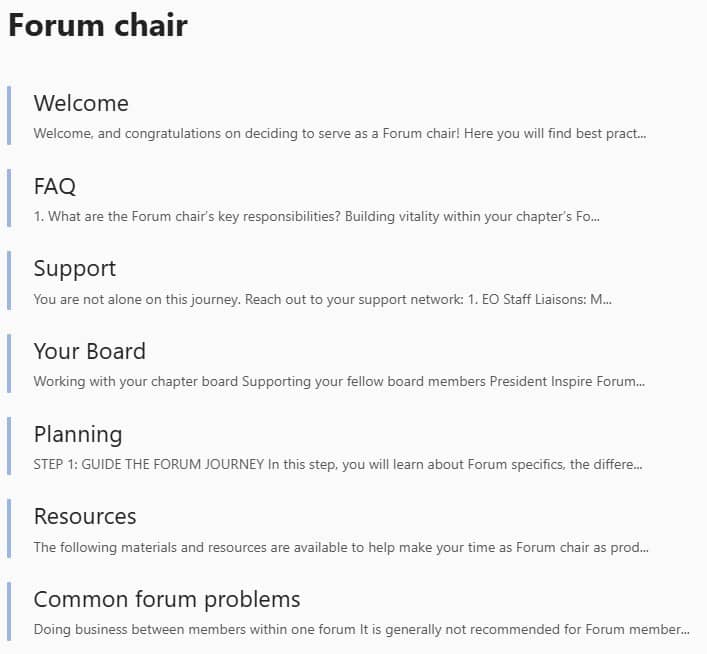
Inside of each of the board book you can add documents that will help the person currently holding that position
to perform it as best as possible.
Members books
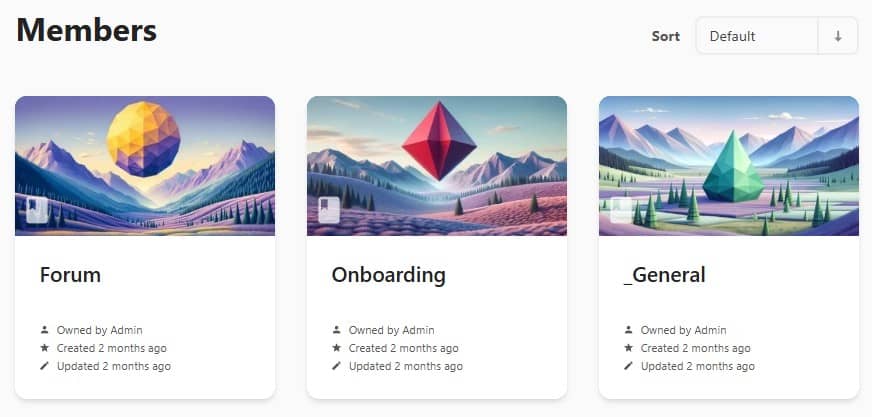
This will probably be the most extensive shelf in the future, but you can start by creating these 3 books for
members:
Forum - for documents related to this most important part of every EO member's
journey. You should add materials here that will allow members to best develop their forums, and help them
address common issues.
Onboarding - this will be the most important resource for new members in your
chapter. You should design this book with special care, remembering that it can make or break the EO journey of
new members.
General - for all generic resources intended for all members of your chapter
Onboarding book
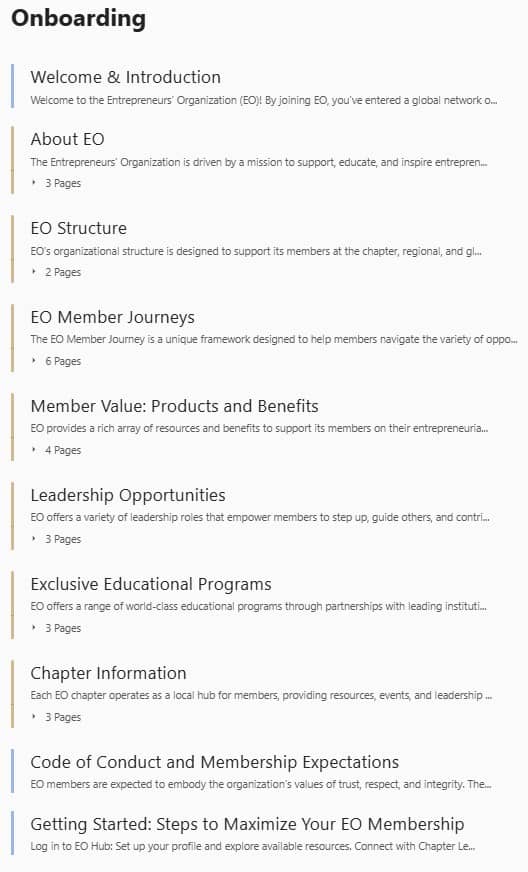
Here's an example of what your onboarding book might look like.
It is important to design it with the right flow so that new members can follow it step by step without wondering
what they should do now and what later.
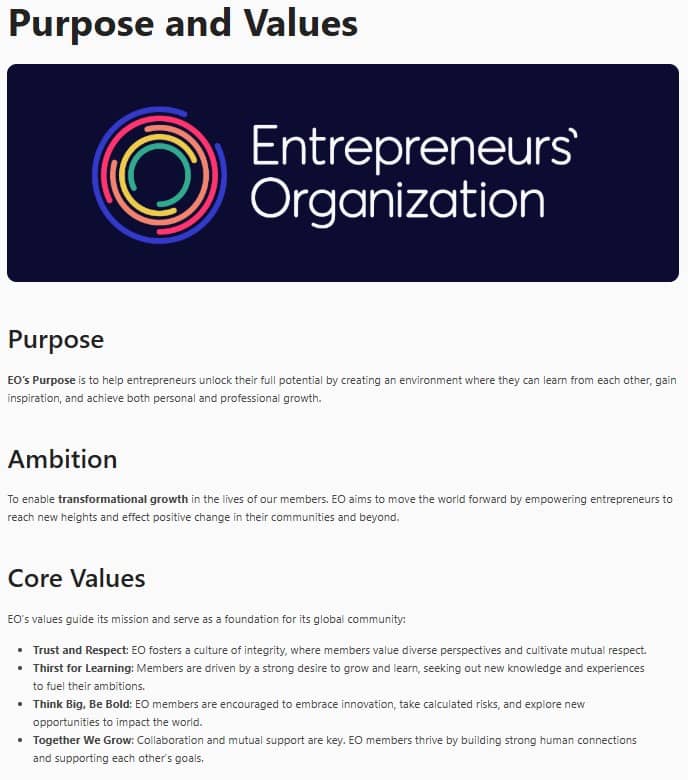
Inside of the onboarding book you should place all the basics about EO and your chapter. Don't assume something is
to obvious to write about - your perspective as a seasoned member it's probable not objective enough.
Design this onboarging book with a special care and do not miss any details.
And remember - these data is not only for humans, but also for AI.
Staff shelf
This is a place for the chapter manager and possibly other staff members.
Here you can place procedures, legal documents, notes, resources, and all the important things that allow
employees to do their jobs effectively.
Importantly, if you make sure that all knowledge is properly structured and digitized in the knowledge base, you
will avoid potential turbulence when some staff members leave.
Using AI with chapter's knowledge base
If an organization's valuable knowledge exists only in the heads of team members, there is no other way to share
it than by simply exchanging it directly between individuals.
This is a very inefficient and unreliable method.
However, if everything is saved in a digital form, not only does each member have unlimited access to this
knowledge, but it also becomes an excellent basis for artificial intelligence.
So, instead of writing to your chapter manager or board member asking, "What is
a sample forum agenda?" you would now ask AI, which, based on your chapter knowledge base,
will
provide you with precise answers in seconds.
This way, not only will you avoid bothering other chapter members, but you will also get faster and
more precise
answers yourself. Productivity will skyrocket.
Specialized assistants
What's more - based on the specific parts of your knowledge base you can create specialized assistants that can help your chapter's board, members and staff in various matters.
Forum moderator assistant
Prompt: In one of the forums 2 members are doing business with each other. Is this in accordance with the rules?
Forum chair assistant
Prompt: I have just taken over the role of Forum Chair in our chapter. Write me a plan in points on what I should start with
Onboarding assistant for new members
Prompt: I just joined EO. Where should I start?h
AI-enhanced text editor
One of the most useful features of CogniVis Docs is the AI-enhanced text editor.
AI integrated into the text editor means you can use the power of AI directly when writing your text.
Let's assume your chapter manager has a procedure to write. Let it be a challenging, long, boring and at the same
time
very important procedure regarding the protection of personal data in your organization.
Sometimes this type of content is the hardest to start. So we can use AI and tell it to write an outline that will
outline the framework of this text and provide us with a good starting point for further work.
You can also select a single sentence in the text and give the AI a prompt to change it, or you can also use one
of the many predefined options available, such as:
make longer
make shorter
improve writing
fix spelling
simplify
summarize
find action items
explain
change tone
translate
and many more.
Talk to documents using AI Chat
Another powerful functionality in the CogniVis Docs knowledge base is AI Chat available on every
document.
Thanks to it, we can talk to a given document as if we were talking to a human.
For example, we don't have to read every line of a long document to figure out what we need to do with it.
We can tell the artificial intelligence to write us action points or summarize
the document to the most important
issues.
Using AI Chat in CogniVis Docs, we can conduct any conversation as if we were talking to ChatGPT - only in this
case the artificial intelligence will refer to the document we are currently viewing.
How to implement it
Contact Michal Szymanski from EO Poland and he will guide you and your chapter through the
CogniVis AI implementation process.
Author of hundreds of articles on AI, programming, UI/UX design,
business, marketing and productivity. In the past, an educator working
with troubled youth in orphanages and correctional facilities.