Enable only the categories you want. We remember your choice for 180 days across all site languages.

Privacy policy
Skip to content
CogniVis
Ready-made n8n automation workflows

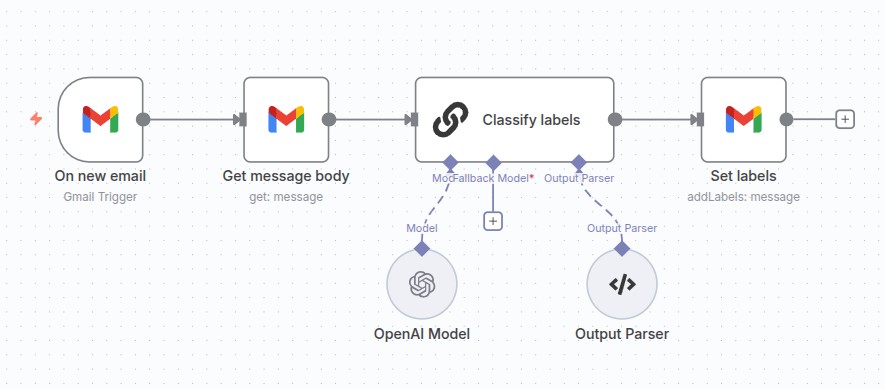
Set Gmail labels based on email content

Automatically categorize your Gmail emails by applying labels based on their content using AI, helping you stay organized and prioritize important messages.

Get a free workflow ↓
Set Gmail labels based on email content

How this workflow works

Set Gmail labels based on email content

Required integrations

  • Gmail
  • OpenAI

From download to launch

Import the file into n8n, connect your own accounts and access keys, check the configuration and test the workflow with sample data before activating it.

Get a free workflow

We’ll use your address to send the selected workflow. Our privacy policy explains how we process your data. Privacy policy

Let’s talk about your process.

Show us what takes up most of your team’s time. Together, we’ll identify where technology can help.

Book a consultation