
docs.whatsappbot.connecting_to_groups.title
Add the phone number provided to you by CogniVis to your Group.
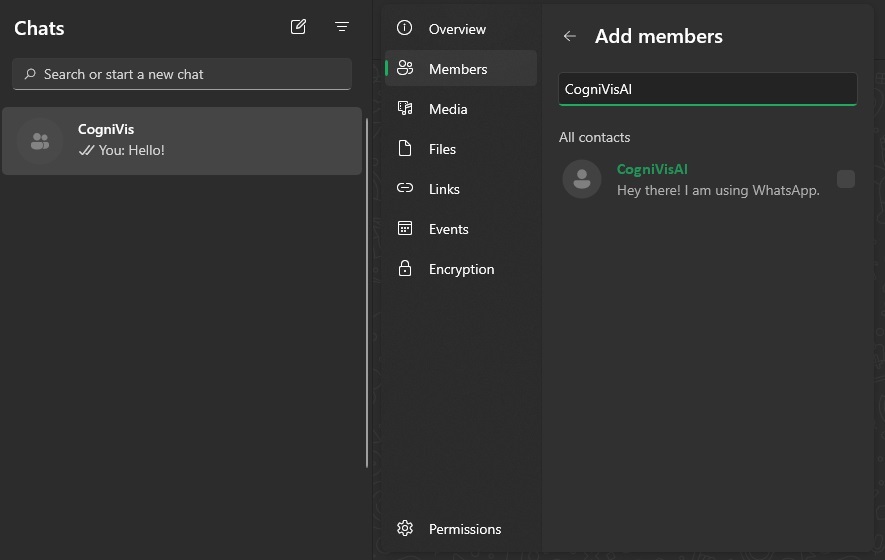
After receiving the bot's phone number from us, add it to your contacts. In the WhatsApp app, go to the group you want to add the WhatsApp Bot to. In the top bar, expand the group settings, go to "Members," select "Add Members," and add the contact with the number you received from us.
Connect WhatsApp Bot to your instance.
Tag the bot, write "/connect-https://YOUR-INSTANCE.platform.cognivis.ai/" hit send.

The Group will get connected to the Bot instance in which your personal phone number was whitelisted.
You can delete your personal phone number after connecting the Group, and the bot will keep working.