Document management

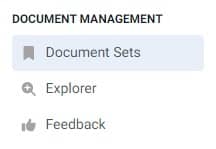
The next section we will discuss is "Document management". In the admin panel, click
on the
navigation on the left side and select "Document sets".
What exactly are document sets?
Document Sets allow you to logically group related documents into a single package. They can then be
used as
filters when using the ChatBot or attached to Slack bots to limit the amount of information searched by the bot
when responding on a specific channel or using a specific command.
In other words - document sets allow us greater control over our data and make it easier for
artificial
intelligence to use our sources.
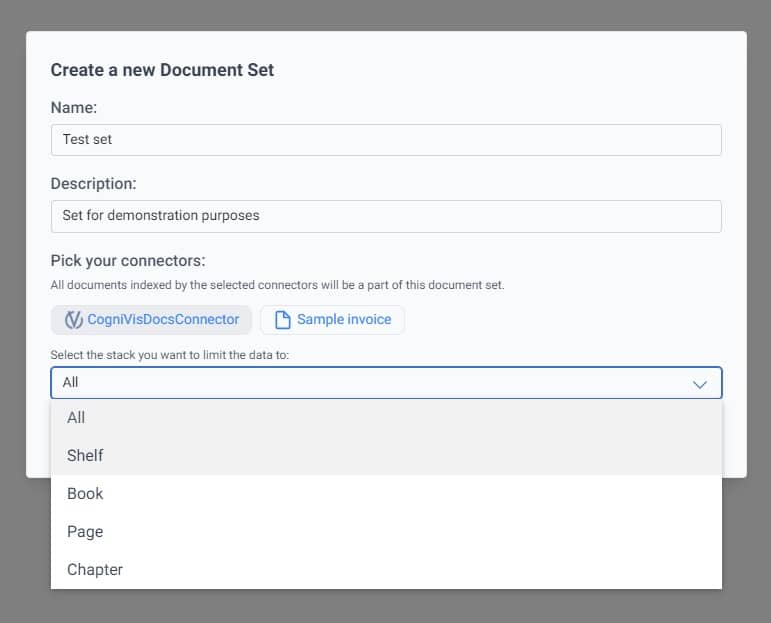
Click the "New document set" button. A pop-up window will appear where you can select
exactly what
should belong to a given document set.
You must fill in the name and description of the set. Then you have to choose the data sources
(connectors).
You can choose any number of them and combine them as you wish.
However, if you choose your CogniVis Docs knowledge base as the source, you can further narrow it down
to specific
shelves, books, chapters, or pages.
After selecting the sources, click "Create". Synchronization will begin and after a
while, your
document set will be ready.
You can now, for example, select it from the filters during a chat conversation or using the search
engine.
Document sets will also be necessary when creating personas/assistants, but we will get to that in
future lessons.
Document explorer
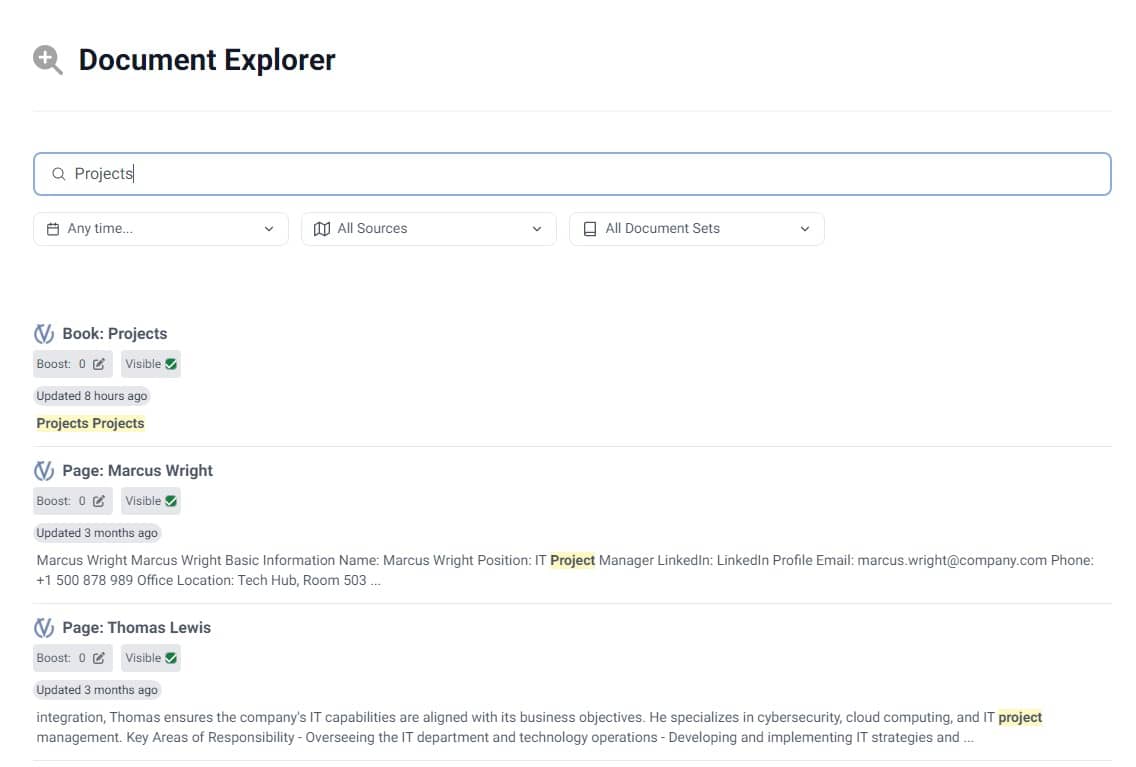
If you have doubts whether a document has been indexed correctly, you can examine it in the
"Document
explorer".
From the navigation on the left side, select "Explorer", and then type the name of
the document
you are looking for in the search bar. The system will suggest whether it has been indexed correctly.
Here you can also hide documents that you do not want artificial intelligence to take into account. To
do this,
click the "Visible" button next to the document and it will be marked as "Hidden".
You can also give selected documents greater weight. By clicking on "Boost" and
adding weight
points to it (e.g., if you add 10 points), you will make artificial intelligence pay more attention to this document
than to documents with a lower score.
Document Feedback
In the document feedback section, you can check the document ranking. The ranking is
based both on
the scores you assign to certain documents (as described in the section above) and on the feedback you can give
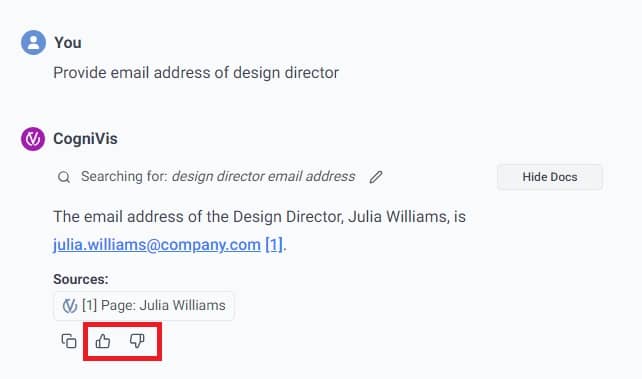
during conversations with the chat. Every thumbs up or down given to a specific chat response and the document
provided by it in that response will affect this ranking.
Thanks to this, the system can learn and become better and better.