Add Your LLM
Integrating a language model (LLM) with CogniVis is a key step in customizing artificial intelligence to your individual needs. Adding your own LLM allows you to leverage its unique capabilities directly within the platform, enabling more nuanced interactions, advanced automation, and personalized analyses. By deploying an LLM, you can optimize CogniVis's operation to better align with your organization's goals and data-driven strategies.
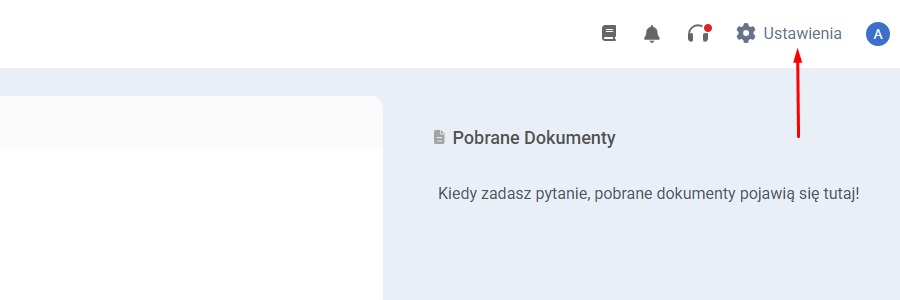
Go to the Admin Panel, located in the top right corner of the screen.
Next, open the "LLM" section in the menu on the left side of the screen.
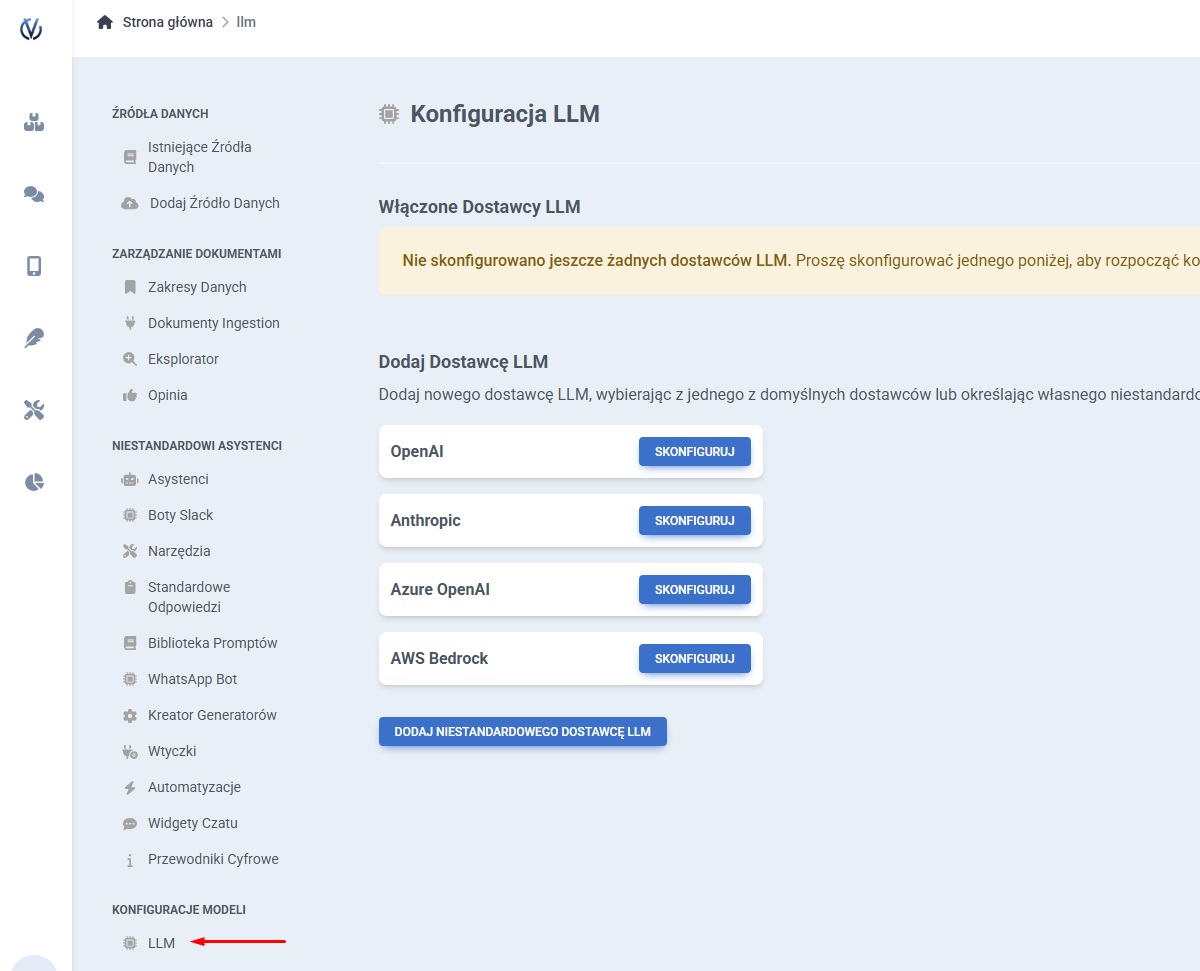
Select a new LLM provider from the default list or configure your own custom LLM provider.
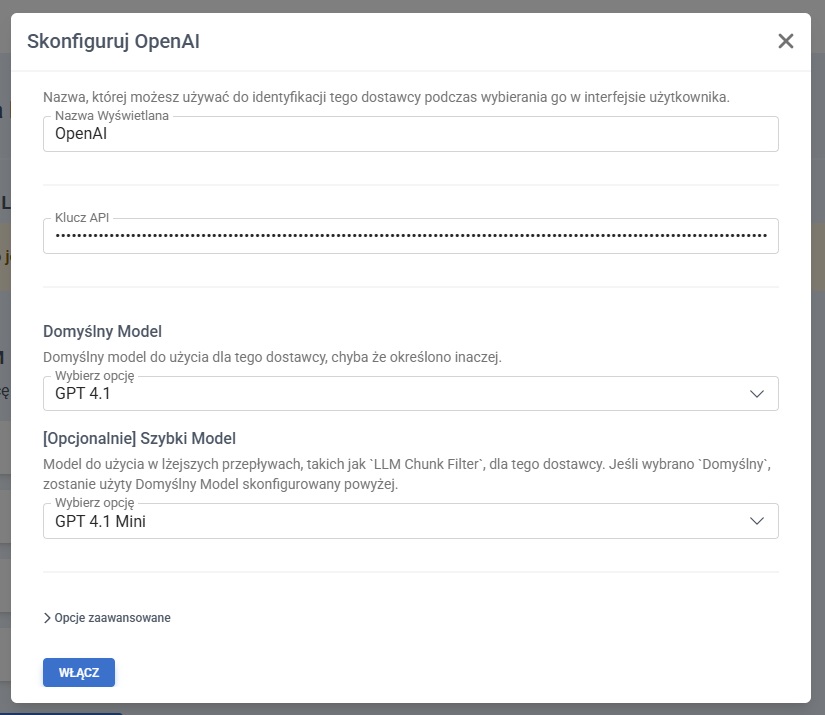
When adding a new LLM provider, enter the required information.
All necessary data can be found on the page https://docs.litellm.ai/docs/providers .
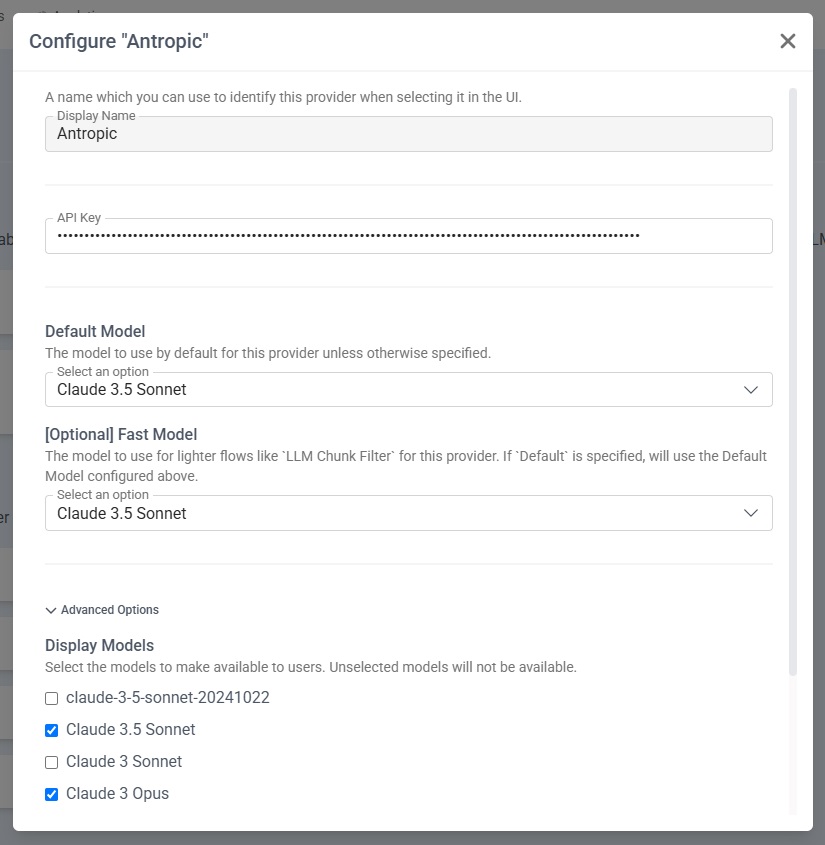
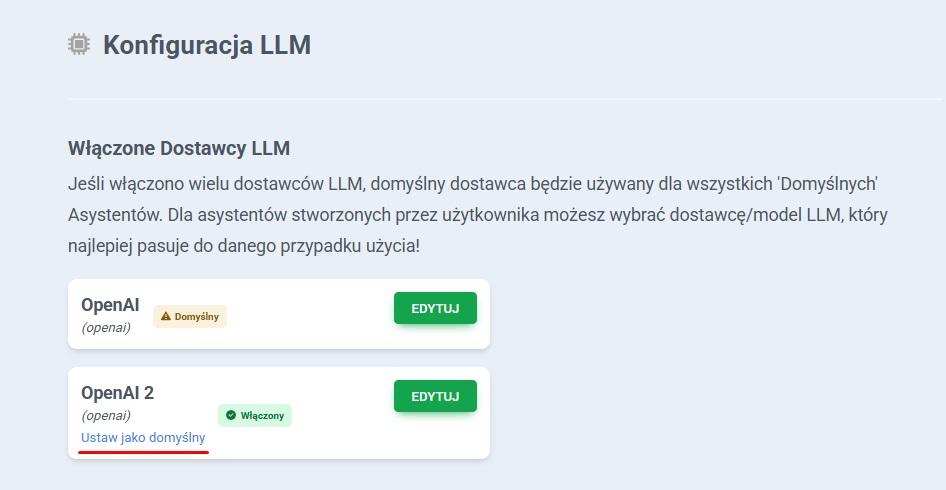
After adding the new LLM provider, you can set it as default and also edit it.